The main app is your content hub: delivery info, common URLs, customer-service scripts — each is an entry, organized by scenario, ready whenever you need it.
Each category has its own color bar, and entry content is shown as chips you can preview without opening — delivery info, official links, after-sales scripts, each in its place.
Info (multi-field), URL and Script cover almost every repetitive input scenario.
Bring up the search bar anytime to find an entry by name or content in seconds.
Use "Filter / Sort" at the bottom to filter by type or arrange by habit — however many entries you have, it stays tidy.
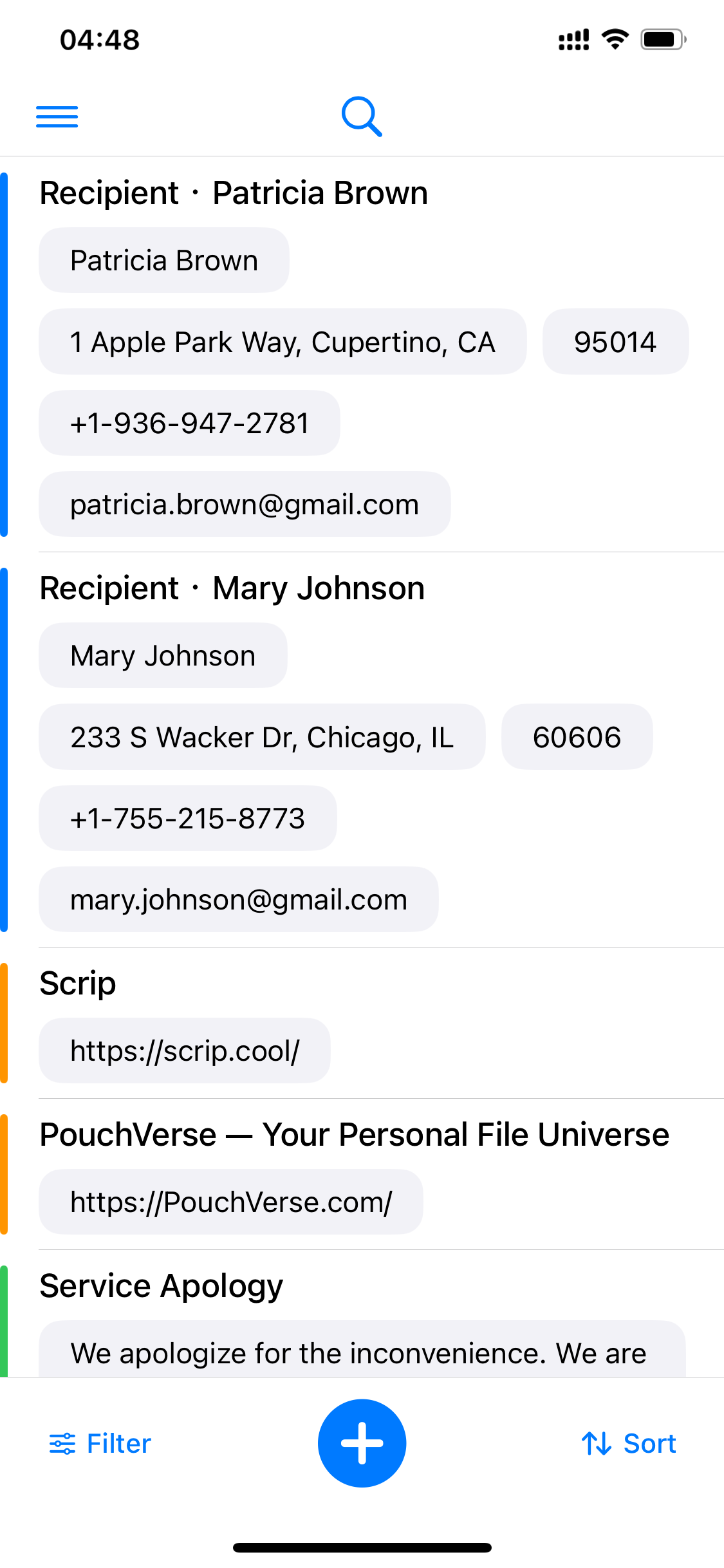
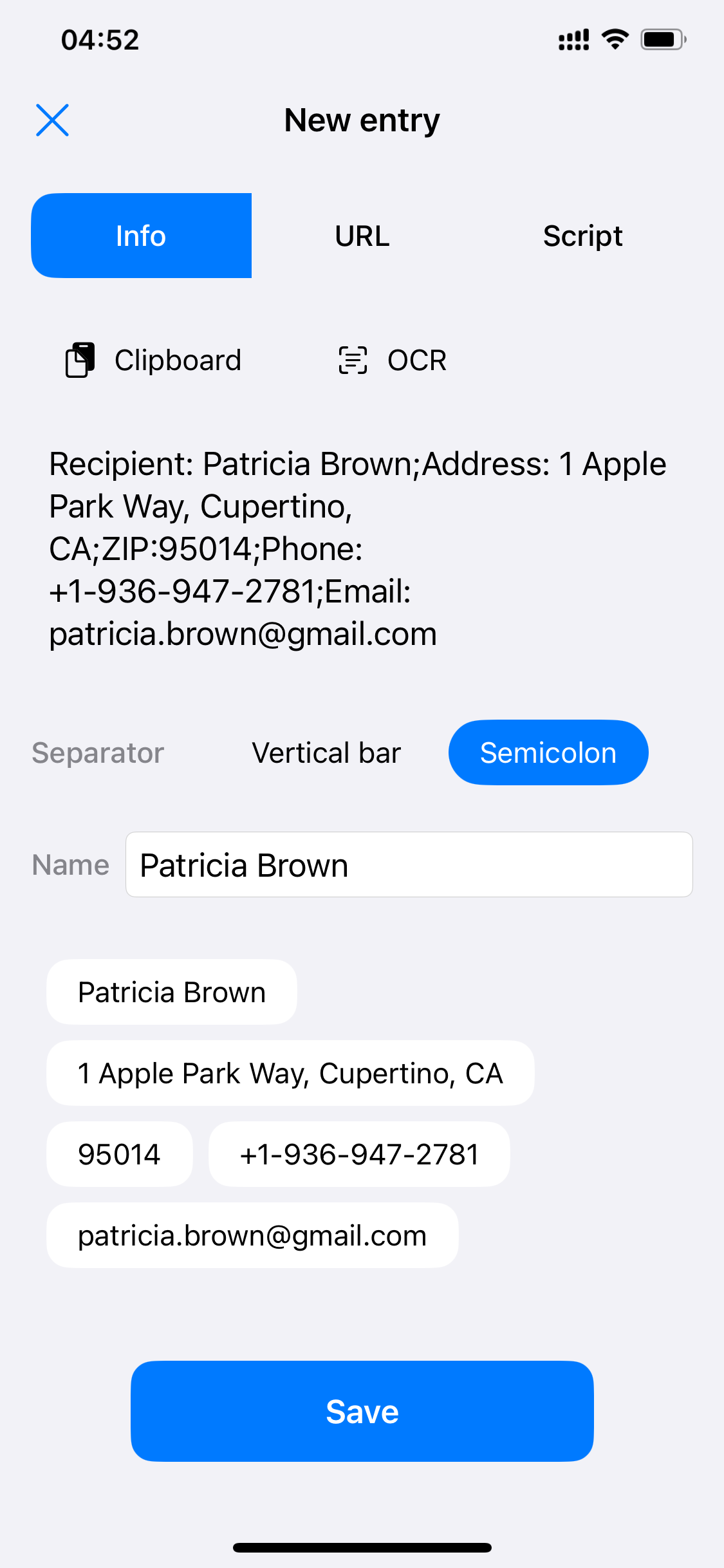
Take "Delivery Info · Mary Johnson" as an example: name, address, ZIP code, phone and email — five fields in one entry. When typing with the keyboard, each field is its own chip, so you fill exactly where you point.
The plus button at the bottom center starts the new-entry flow anytime.
Entry cards show field content directly — no need to open a detail page to check.
 Scrip
Scrip