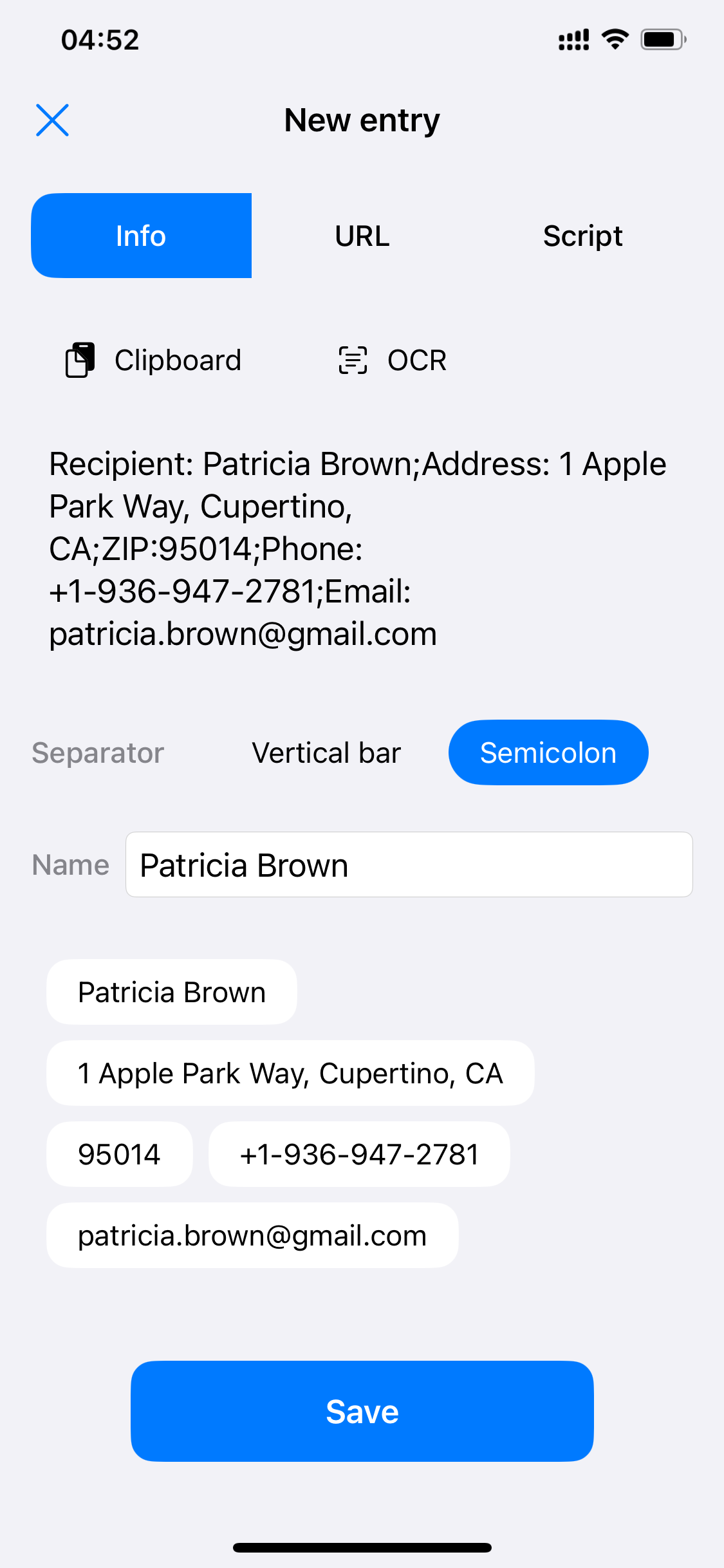
No need to type character by character: paste from the clipboard or scan with OCR, pick a delimiter, and Scrip automatically splits the text into field chips. URLs and scripts work the same way.
Paste a whole block like “Recipient: Mary Johnson Address: Chicago… ZIP: 60606…” and choose a delimiter — line break / tab / double space / comma / pipe / semicolon — to instantly split it into fields, previewed live as chips.
Read the clipboard with one tap and split whatever you copied.
Snap a photo of a shipping label or business card and the text is extracted straight into the editor.
Line break, tab, double space, comma, pipe and semicolon cover text from all kinds of sources.
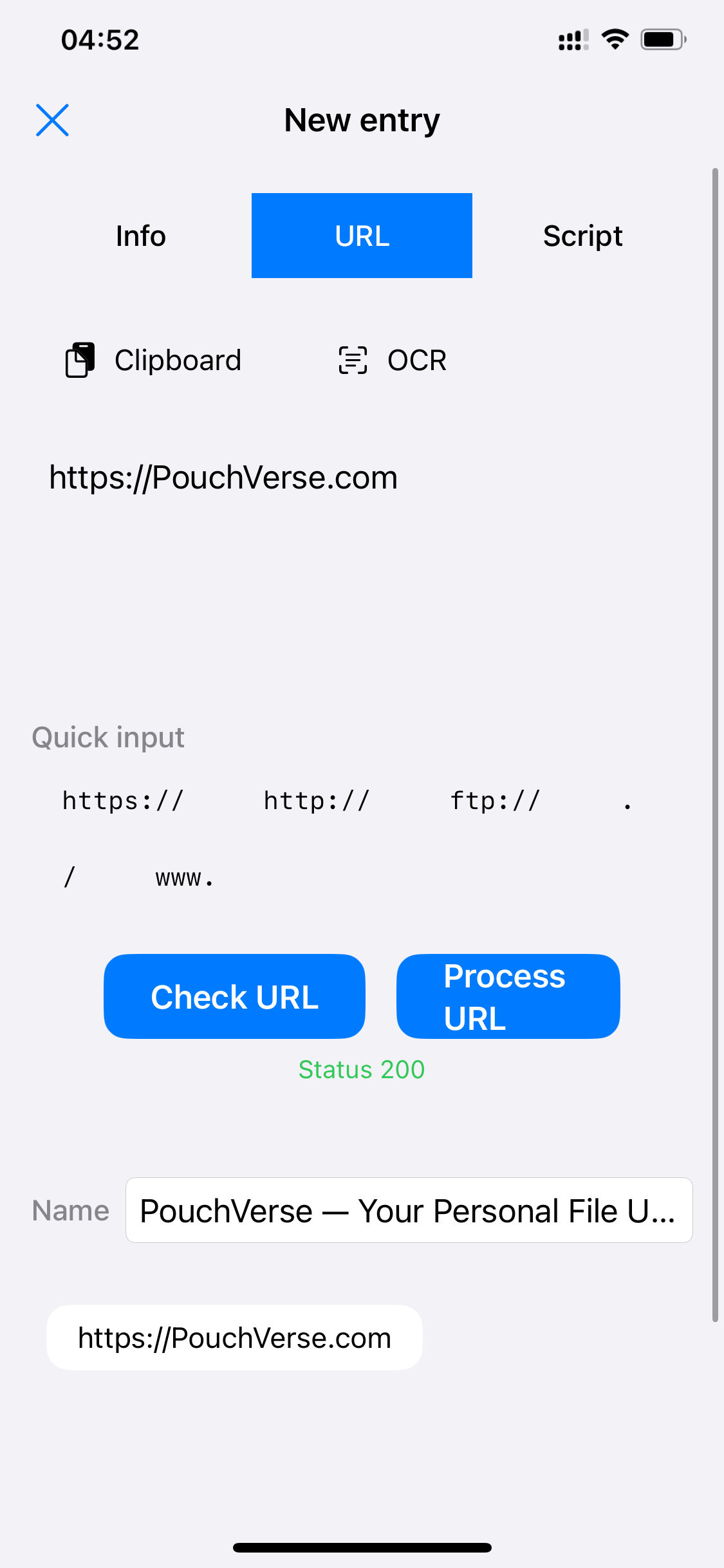
After entering a URL, use "Check URL" to confirm it's reachable (returns a status code), or "Process URL" to strip redundant parameters and tidy the format — only clean links end up in your library.
Common fragments like https:// and www. are typed with one tap — no need to type out full URLs.
"Check URL" returns a live status code so dead links never make it into your library. Your URL is only visited at this moment.
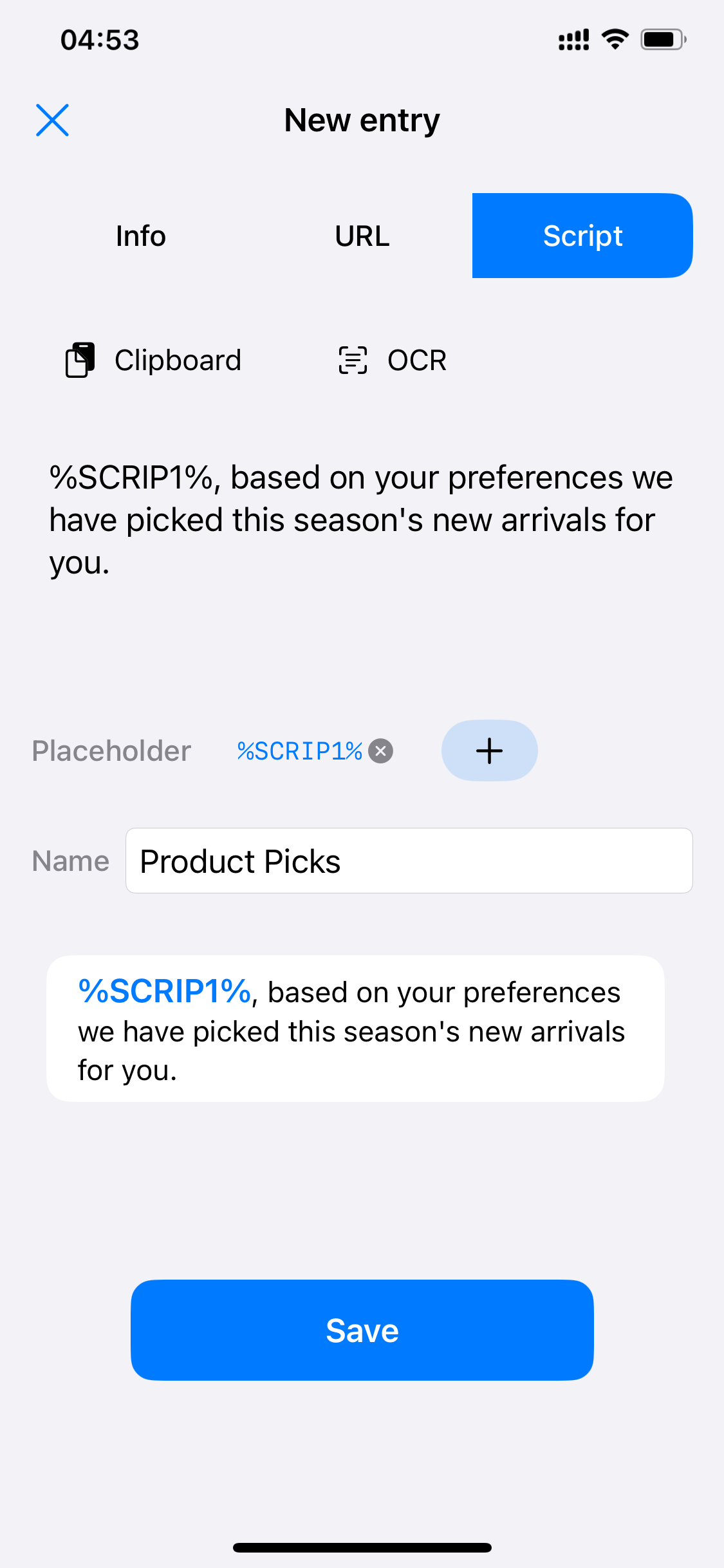
Insert a %SCRIP1% placeholder into a script and one template handles every greeting. Fill in the value when typing — “%SCRIP1%, your refund has been submitted…” becomes complete once you fill in a name.
Tap "+" to add a placeholder wherever the template needs to change.
Placeholders are highlighted in blue in the preview card, so the finished script is easy to read at a glance.
 Scrip
Scrip