
Stop retyping the same thing on your phone.
Keep the text you use often organized,
and type it with one tap in any app.
Data stays on your device · Offline by default · No data collection · Multi-language support
There's a kind of text you never read again, but keep typing again and again.
Shipping Address
Filled in every day.
Go-to Replies
Customer service, work, chat.
Links You Share
Shared many times a week.
Account Info
Email, username, employee ID…
They're scattered across notes, chat history, browsers, and memory.
The real cost isn't that it doesn't exist — it's having to find it again every time.
We call this kind of text you keep typing over and over repeat text
It's not meant to be read — it's meant to be typed.
Its defining trait: save it once, type it many times.
Scrip is not a notes app
Not meant to be read — meant to be typed again.
Notes apps are great for jotting things down. Scrip is built specifically to manage the text you need to type over and over.
Notes App
Requires searching, selecting, and jumping around — with many entries, switching back and forth gets cumbersome.
Text Expanders
Triggered by an abbreviation, but you have to remember the trigger — easy to mix up or forget as entries pile up.
Scrip
What you see is what you type — one tap and you're done.
Repeat text deserves to be organized for reuse
Paste it, scan it, and bring your everyday text all together
Whether it comes from a chat, a webpage, or a photo, save it in one step — no more hunting for it later.
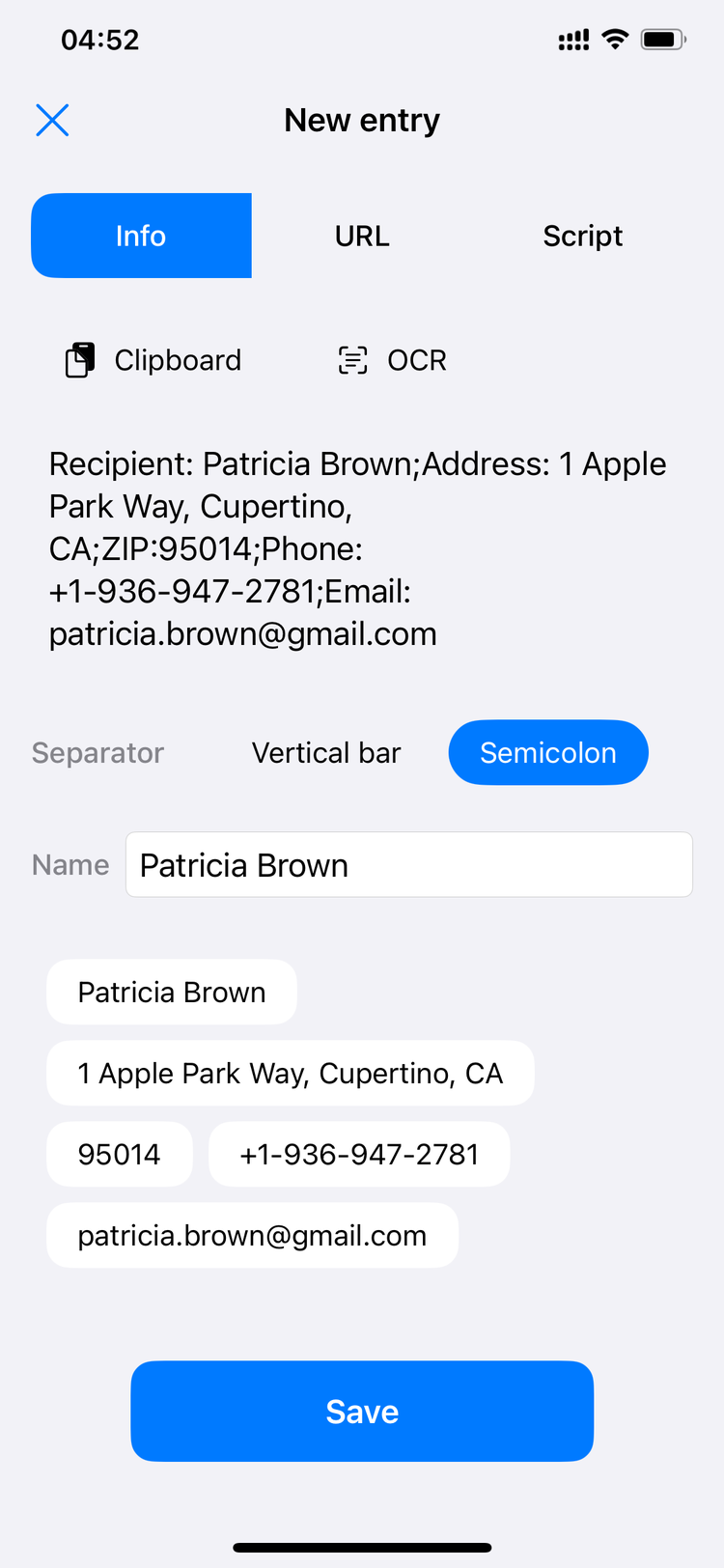
Sort repeat text into the three most common forms
Plain entries, structured addresses, and reusable script templates.
Not endless categories — just the scenarios you retype most often.
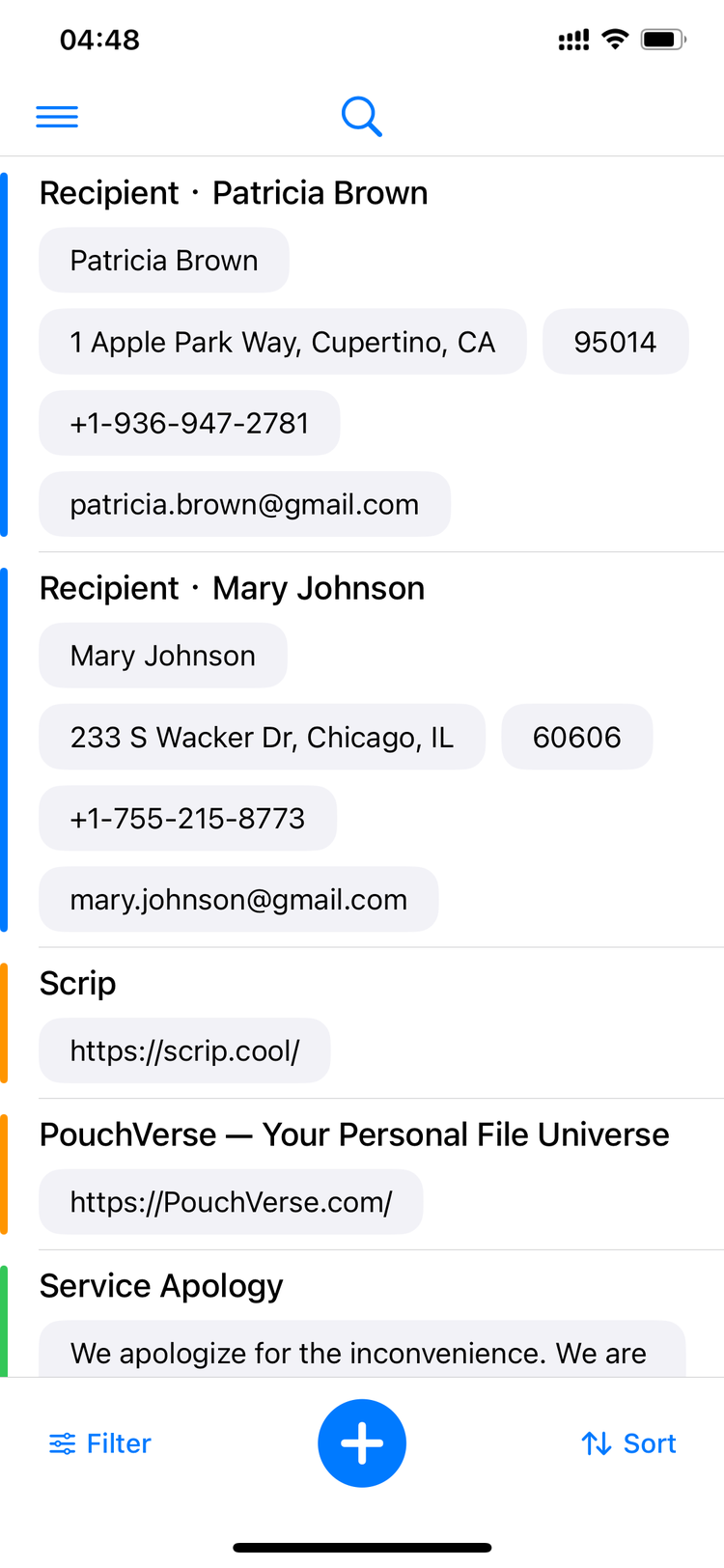
A whole address, split automatically
Paste a full block of shipping info and Scrip automatically splits it by delimiter into name, phone, address, postal code, and more — each saved as its own tappable entry.
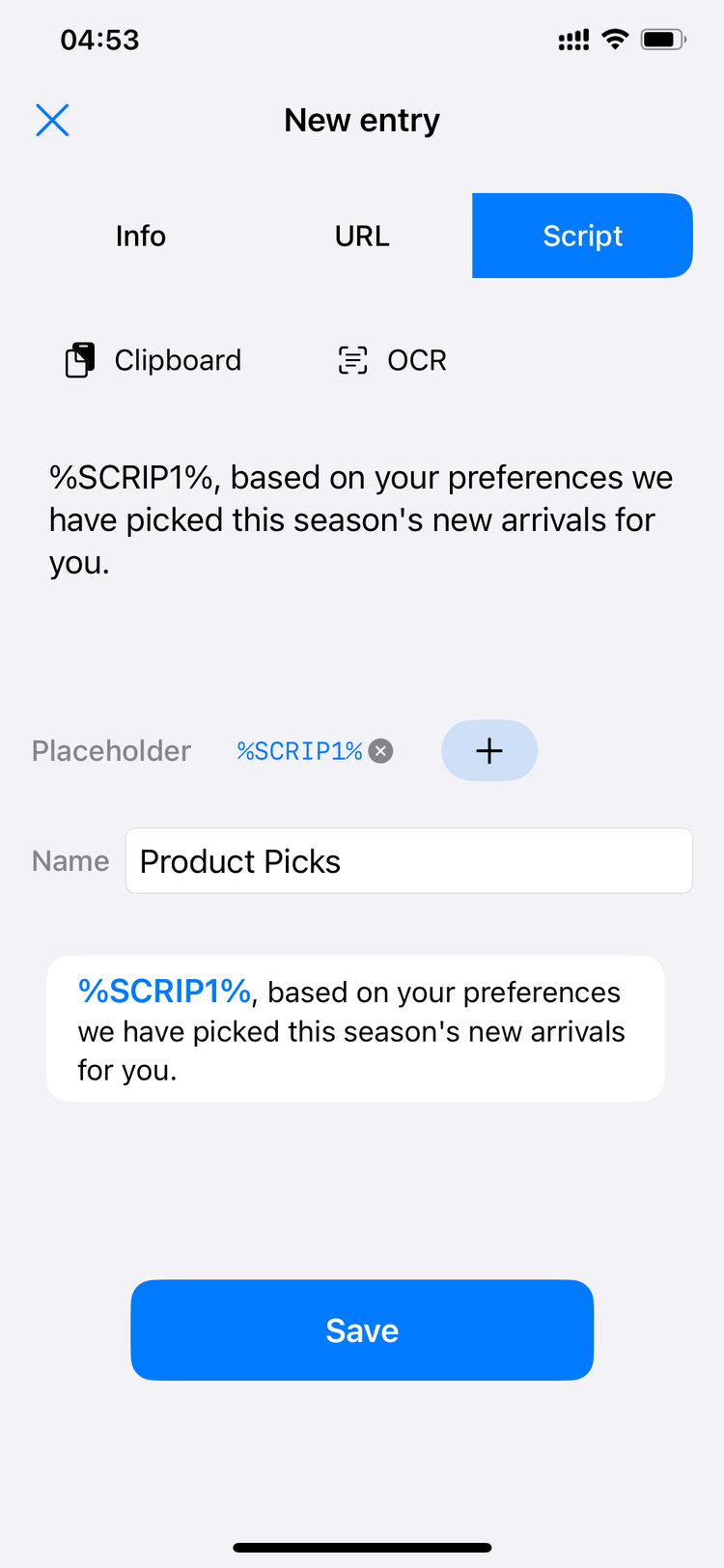
Script templates with placeholder variables
Turn a go-to script into a template with placeholders like %SCRIP1%, then swap in the specific details as needed — no retyping from scratch.
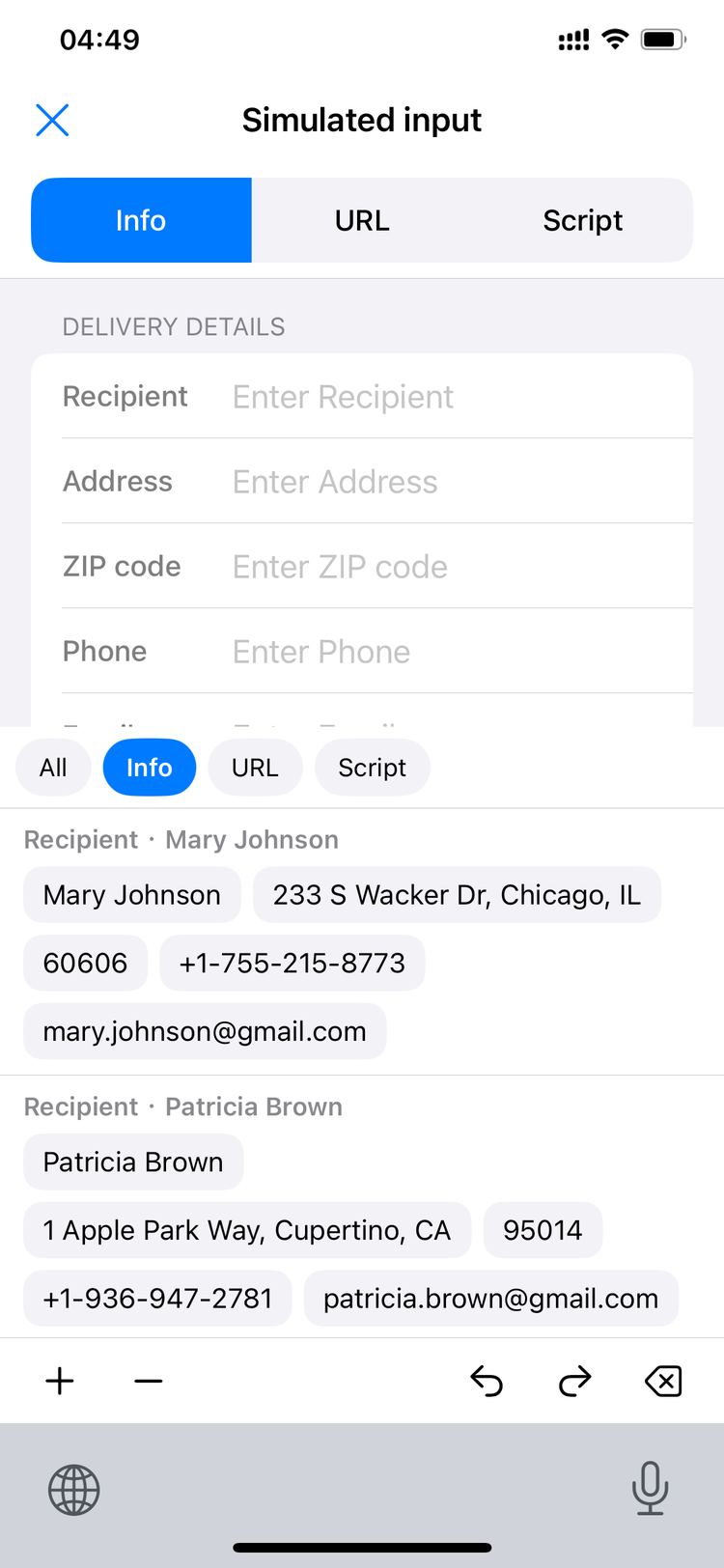
No hunting when you need it
Bring up the Scrip keyboard.
Tap once.
Typed.
What you save isn't just text — it's information made easier to reuse.
Scrip shows up wherever you're typing
No need to open an app.
No need to copy and paste.
No need to leave the text field.
Just switch to the Scrip keyboard and tap — that's it.
Your content belongs only to you
-
Stored on-device only
All data is stored locally on your device and never uploaded to any server.
-
Offline by default, no collection
The app never collects or sends back your input content or personal information; it only accesses a URL you provide when you turn on Link Cleanup.
-
The keyboard doesn't log anything
The custom keyboard only handles input — it never logs what you type in other apps.
-
Clear it anytime
You're fully in control of your data — add or remove it whenever you like.

Three steps to get started
Add & Organize
Add the text you use often to Scrip and sort it into categories.
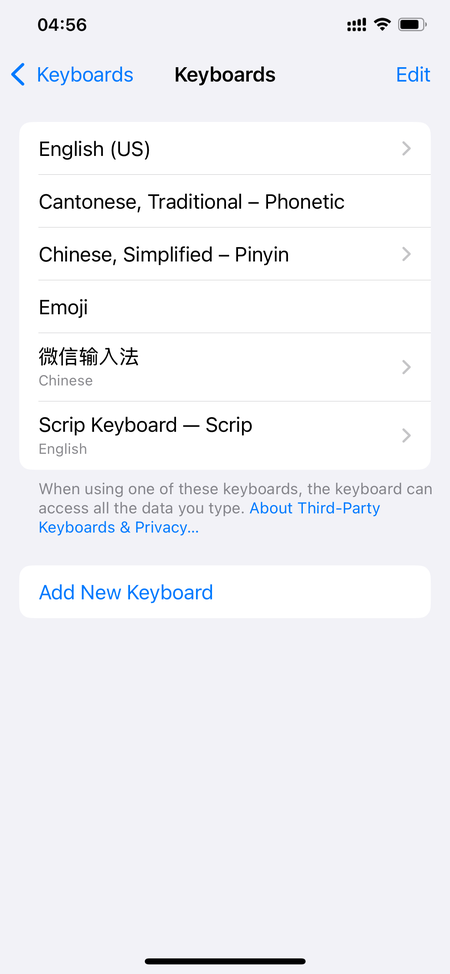
Enable the Keyboard
Turn on the Scrip keyboard in system settings — a one-time setup for long-term use.
Tap to Type
Bring up the Scrip keyboard in any text field and tap to type instantly.
Support
We keep it simple.
No bots, no ticket system.
Just a real person replying to your email.
Technical Support
support@ejiandan.comFeedback
GitHub IssuesFrequently Asked Questions
No. Everything is stored locally on your device only. The app is offline by default and doesn't collect data; it only accesses a URL you provide when you turn on Link Cleanup.
No. The keyboard only types the Scrip entry you select into the text field — it never logs what you type in other apps.
Scrip currently supports Simplified Chinese, Traditional Chinese, English, Japanese, Korean, Spanish, German, and French.
Add and categorize your everyday text → enable the Scrip keyboard in system settings → bring it up in any text field and tap to type.
Data lives on your device and never touches a server, so it doesn't sync automatically across devices — that's part of how we protect your privacy.
Make typing simple, starting now
Data stays on your device · Multi-language support.
We're currently in public beta testing on TestFlight. Join now to try Scrip before the official launch.